Designing Trust in Automated Protection
Malwarebytes Browser Guard
Executive Summary
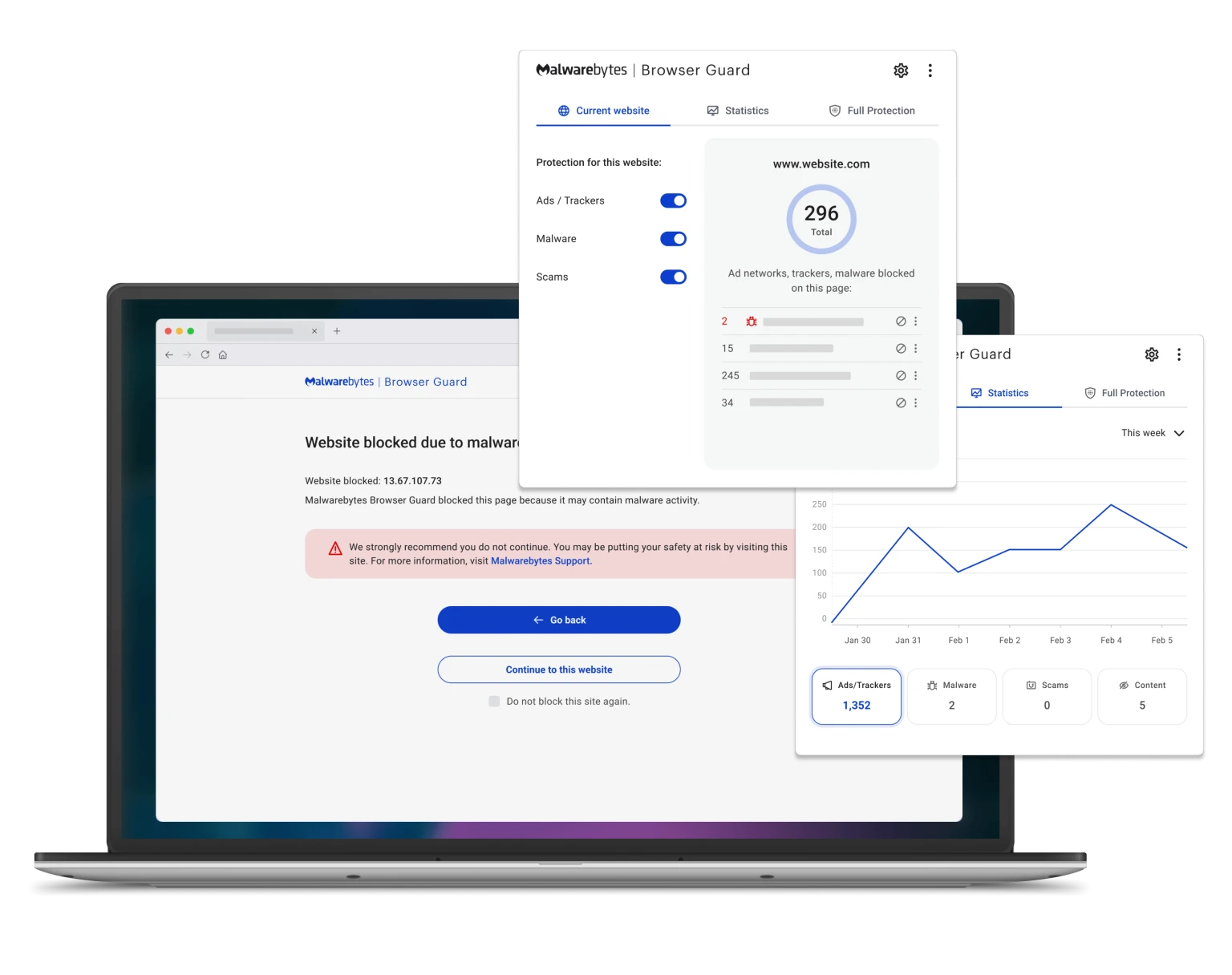
Browser Guard is a browser extension that protects users from malicious sites, trackers, and online scams directly within their browser - much of which operates silently in the background. As Design Lead, I partnered with Product and Business teams to define and deliver the experience across Firefox, Chrome, and Safari, advocating for user needs under aggressive delivery timelines. The final product launched to over 9 million weekly users and maintains a 4.1-star rating in the Chrome Web Store.
The Problem
Malwarebytes Browser Guard was originally released in beta as a market test, accumulating nearly 200K installs and a 4.5-star rating with minimal marketing efforts. Following its early success, plans were developed to bring the extension to full launch as a supplemental layer of browser-based protection.
However, much of Browser Guard’s value comes from automatically blocking malicious sites, trackers, and scams - actions that often occur without visible user intervention. This created a challenge in helping users understand and trust protections that operate silently in the background, particularly when blocking behavior could impact site functionality.
Design goals
Provide clear visibility into automated protections while maintaining a simple, low-touch experience for users across varying levels of cybersecurity familiarity.
Business goals
Extend Malwarebytes’ security ecosystem into the browser while reinforcing trust in background protections that support ongoing user safety.
Designing Under Launch Constraints
With an aggressive go-to-market timeline in place, the team needed to balance speed of delivery with the need to build trust in an automated protection tool.

Limited Time for Foundational Research
Given launch timelines, there was limited opportunity to conduct formal user research. Instead, the team relied on guerrilla UX methods - including hallway testing and internal surveys - to validate critical interaction and visibility decisions throughout the design process.
Implementation Within an Existing UI Framework
All UI components were required to be implemented using the existing Semantic UI framework. While this constrained opportunities for fully customized interactions, it enabled faster collaboration between design and engineering by leveraging an established component library.
Broad Accessibility Requirements
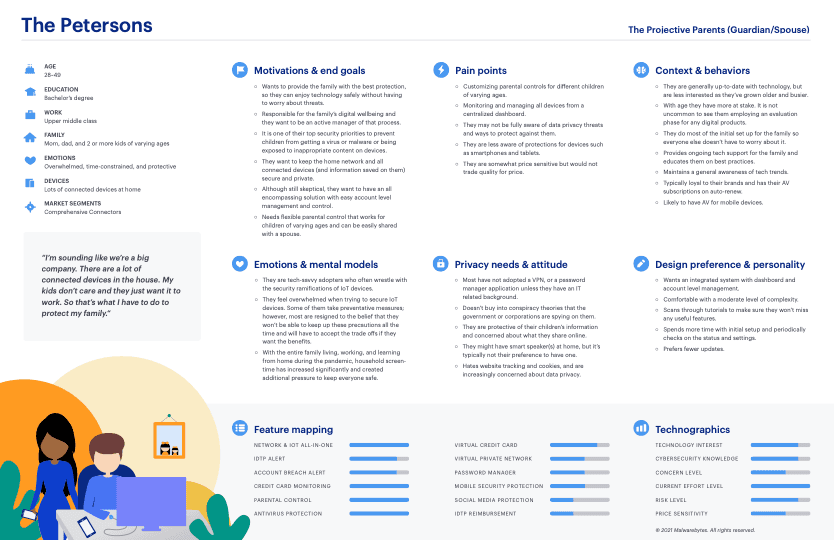
As a browser extension available across Chrome, Firefox, and Safari, Browser Guard needed to support a wide spectrum of users — from casual individuals seeking passive protection to more advanced users interested in greater control over their security settings.
Early Interface Concepts
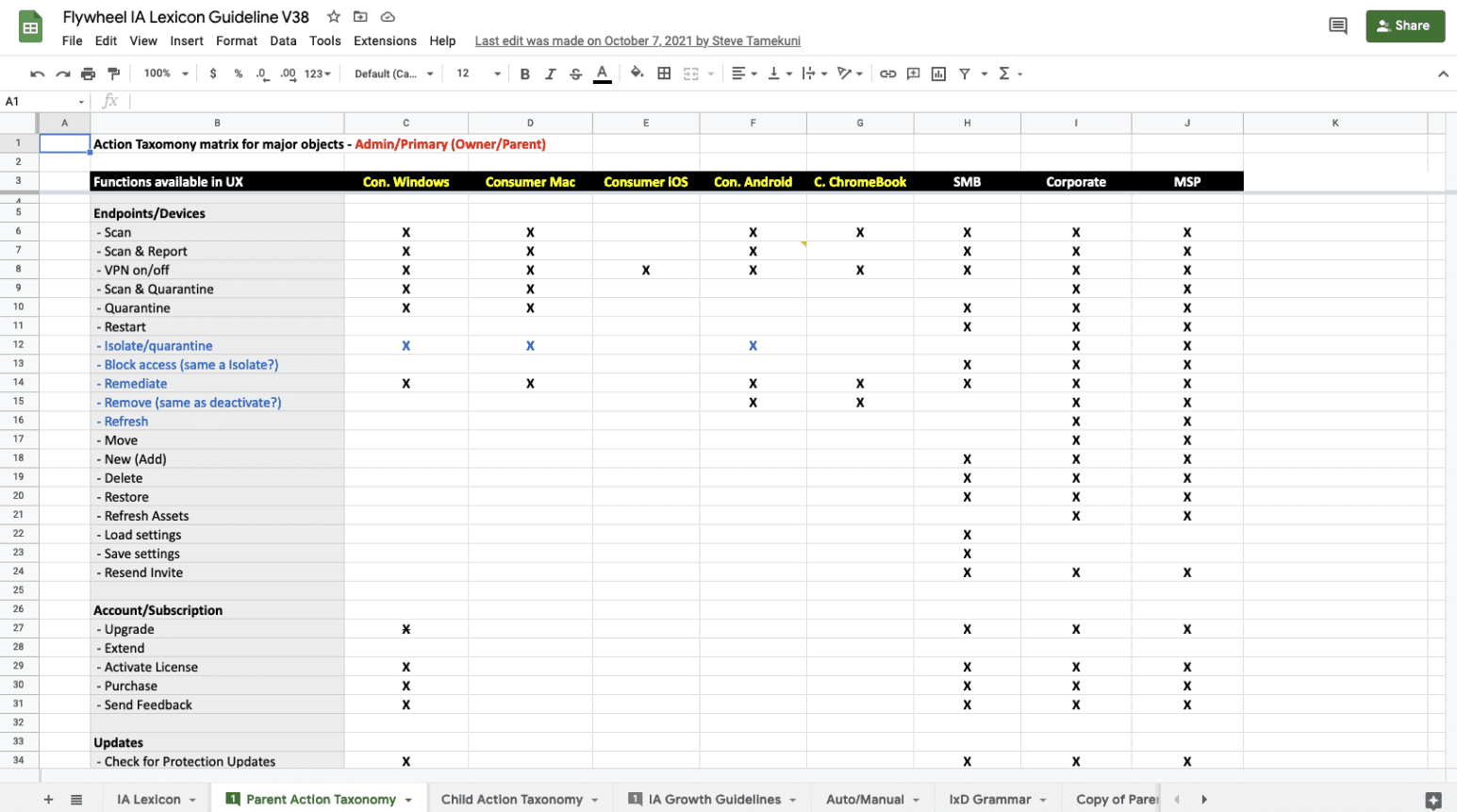
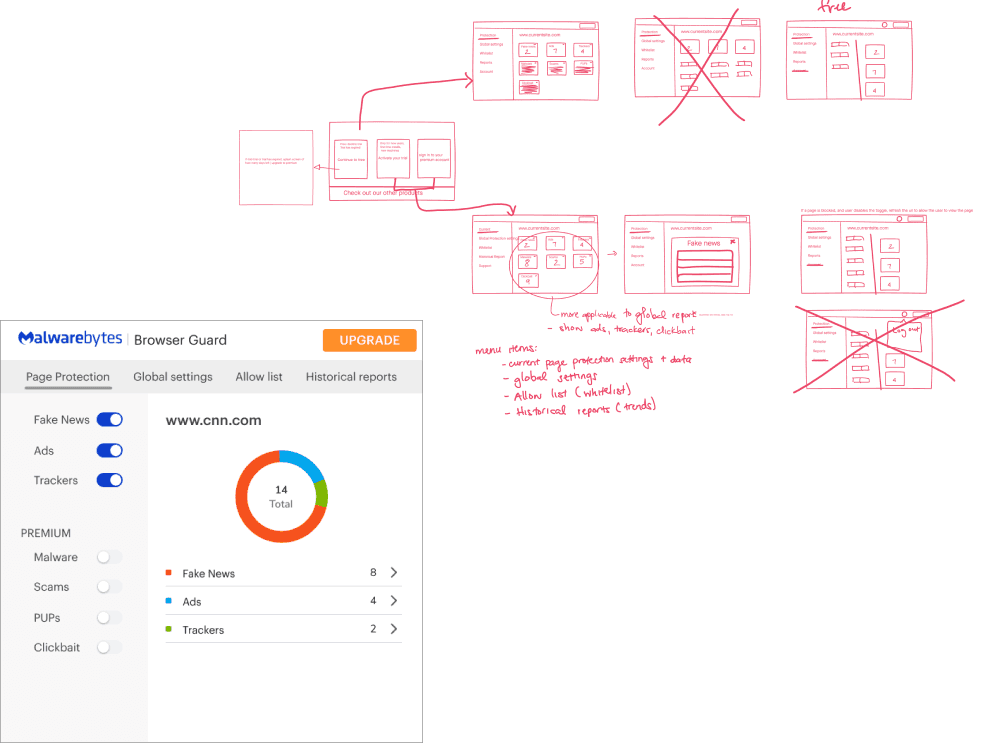
To explore how automated protections could be surfaced within a browser-based extension, the design team began sketching early interface concepts based on product requirements.
Key Requirements
Position Browser Guard as a freemium extension integrated with Malwarebytes’ flagship security product
Leverage crowd-sourced databases to provide additional screening services (e.g., fake news and clickbait detection)
Early Validation
Hallway testing revealed that users struggled to distinguish between protection settings that applied to individual pages versus those affecting broader browsing behavior.
50% of testers did not understand the difference between “Page Protection” and “Global Settings”
Participants noted that the navigation structure felt dense and could become overwhelming as the product expanded
Initial Wireframes
Adapting to Packaging & Acquisition Goals
As launch planning progressed, business requirements introduced new considerations around how Browser Guard would be packaged within the broader Malwarebytes ecosystem.
Packaging Constraints
In order to offer premium Browser Guard features as part of Malwarebytes 4, users would have been required to reinstall the Malwarebytes 4 desktop application - introducing onboarding friction that could negatively impact adoption.
Revised Product Positioning
To reduce installation barriers and support broader distribution, Browser Guard was repositioned as a free user acquisition tool designed to encourage conversion to Malwarebytes 4.
Beta-Informed Changes
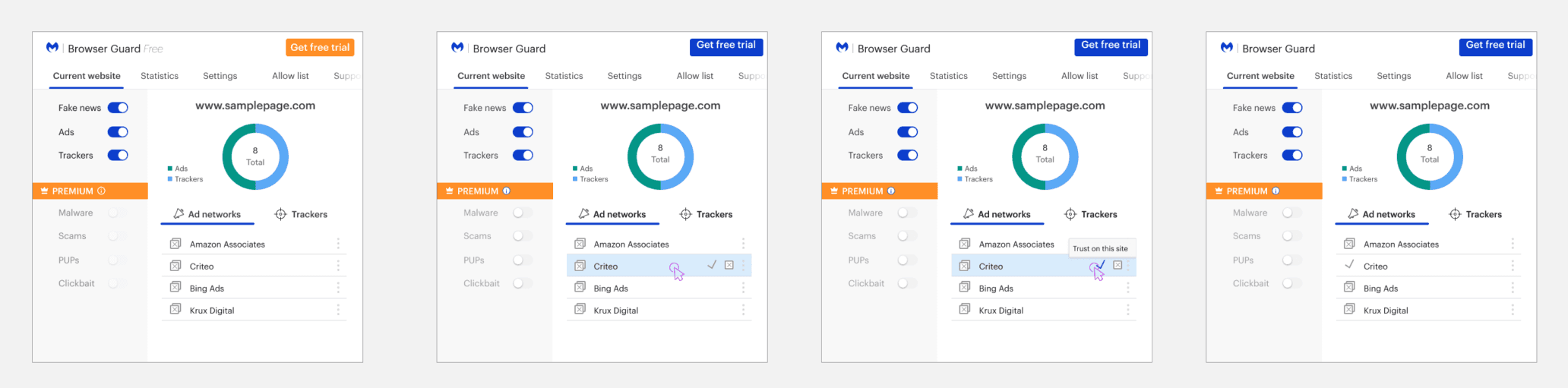
User feedback from the beta release also influenced product scope. Due to the politically sensitive nature of features such as “Fake News” and “Clickbait” screening, these offerings were removed from the final product.
Navigation was further simplified to provide clearer distinction between protections affecting the current site and those applied globally across browsing sessions.
Final Designs
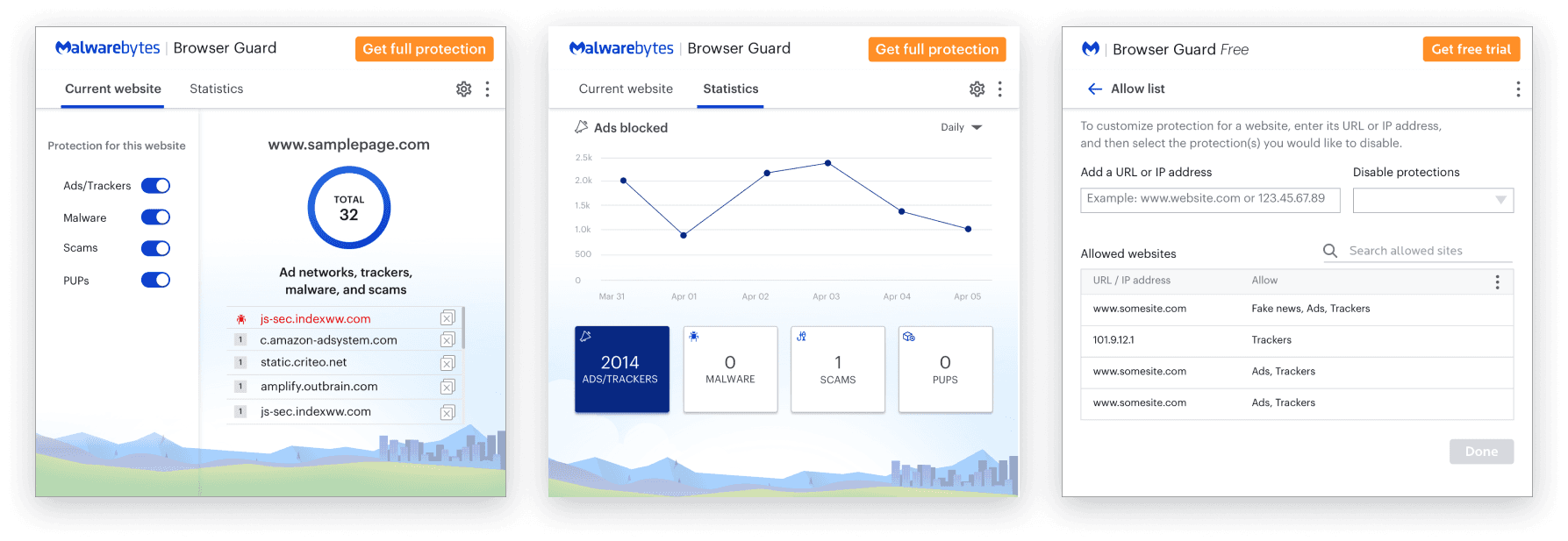
To support user trust in automated protections, the final Browser Guard experience introduced clearer distinction between site-level and global protections while maintaining a simple, low-touch interaction model.
Opportunities to Improve Transparency and Control
Establish a Usability Baseline
Given the accelerated launch timeline, foundational UX research was limited during initial development. Conducting a benchmark usability study would help establish a baseline for how users understand and interact with Browser Guard’s automated protections, while uncovering opportunities to better support trust and ongoing engagement.
Improve Visibility of Protection Controls
Initial designs assumed that users would pause protections by toggling off individual blockers within the side panel. However, app review feedback indicated that this action was not sufficiently discoverable.
Introducing a more prominent pause control could allow users to more easily recover from site conflicts - increasing confidence in the extension’s blocking behavior without requiring full disablement.